
The icon designer inside VS Code
New SVG icons that match your codebase.
Shapi measures your repo's icon rules (grid, stroke, caps, padding), then draws matching SVGs with your own Claude while you watch. Refine them in the built-in vector editor. Your hand edits are tracked and kept when Claude makes the next change.
v0.8.13 · 225 KB · Runs on your own Claude Code sign-in. No API key, no image model, no telemetry. GitHub
Shapi inside VS Code
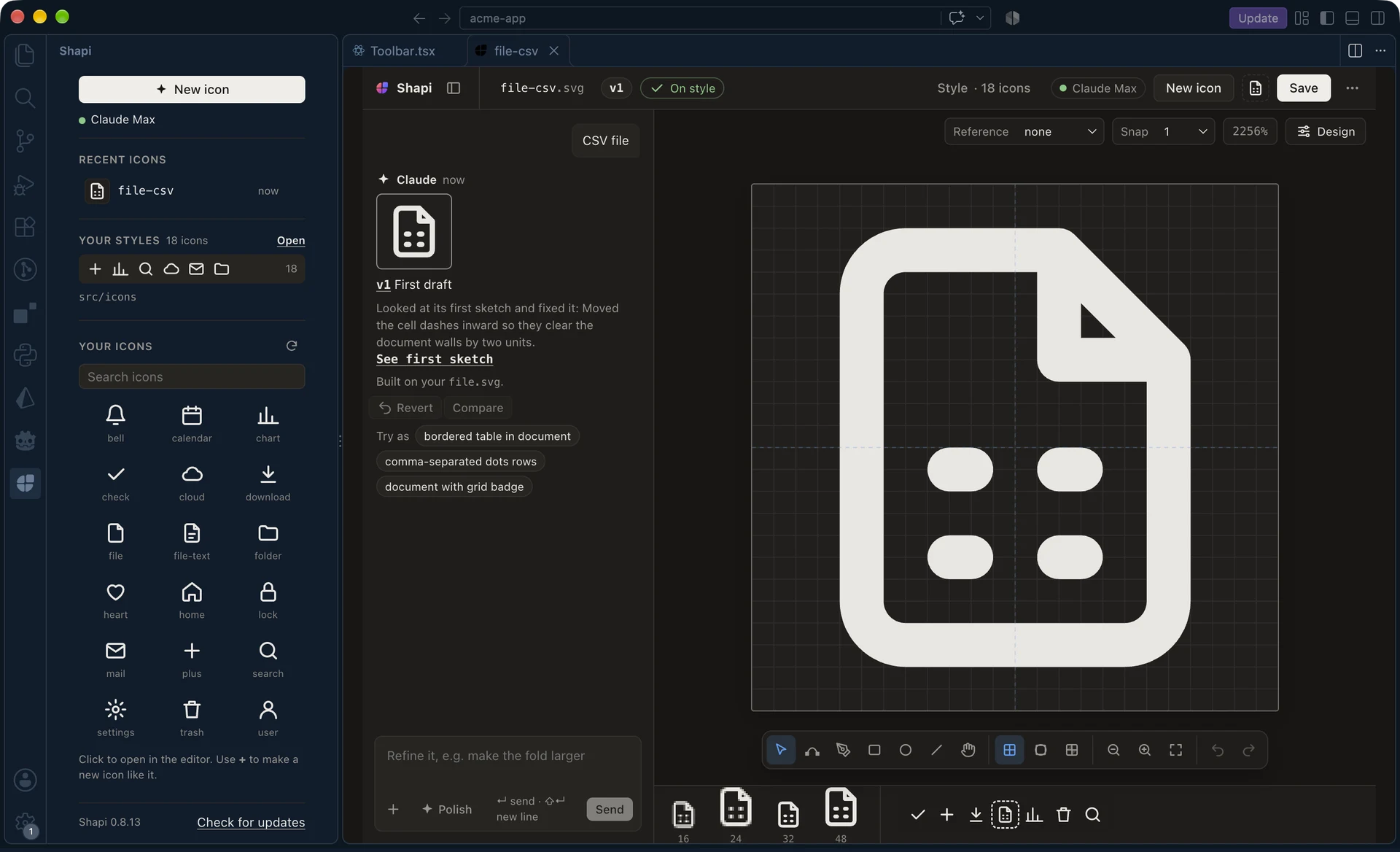
file.svg.Try the real editor
This is Shapi's own editor, running in your browser. Claude is scripted here, so it knows the five icons below and a couple of changes. In VS Code it draws whatever you ask, in your style.
The editor needs a wider screen. Open this page on a laptop or desktop to draw with it.
How it works
-
01
It learns your style
Shapi finds every folder with SVGs in your repo and asks which ones hold your icons. It measures the grid, stroke, caps, joins, fill and padding, keeps mixed sets apart (outline, filled, two-tone), and writes a style guide you can edit.
-
02
You ask for an icon
Describe it in a few words. Claude sketches it in about ten seconds on the geometry of its family: a new CSV icon is built on your file icon's exact outline. While you look, Claude reviews a rendered sheet at 16 to 48 px and fixes what it sees.
-
03
You make it yours
Pen, shapes, node editing and boolean operations on a 24-unit grid. Select a part and press / to change only that part. Shapi diffs your edits against Claude's last version, tells Claude what you moved, and puts back any layer you edited if Claude changes it.
Why not just…
Drawing it yourself works, and so does asking a chat assistant. Neither one knows your icon set.
| What you need | Draw it in Figma | Ask a chat assistant | Shapi |
|---|---|---|---|
| Matches your stroke, grid and padding | If you match it by hand | Only what you paste in | Measured from your repo |
| Builds on your existing icons | Copy, paste, adjust | No | Finds the family, reuses its paths |
| Checked at 16 px | You zoom out and look | No | Measured and reviewed by Claude |
| Edit by hand | Yes | Edit the markup | Vector editor, edits kept |
| Lands in your repo | Export, clean up, move | Copy and paste | ⌘S into your icon folder |
Details
- Measured, then reviewed
- Shapi measures padding, gaps narrower than the stroke, holes that close up at 16 px and straight edges off the pixel grid. What it finds goes to Claude with a rendered sheet of the icon, not to you.
- Reuses your geometry
- Related icons are found by your repo's own names (
file-*,*-file). Claude gets their exact paths, so a new sibling shares the outline, not just the look. - Versions you can trust
- Every change is a numbered version. Compare any two with a wipe or side by side, or hold Alt to peek at the previous one.
- No export step
- ⌘S writes a clean SVG into your icon folder. Or save it anywhere, drag it out, or copy it as a React component.
- Your Claude, your machine
- Shapi runs Claude through your own Claude Code sign-in. Your icons stay in your repo. No accounts, no telemetry.
- Built for engineers, ready for designers
- It lives in the editor where icons are used, and the canvas works the way design tools do: pen, nodes, snapping, keylines.
Questions
What does Shapi send to Claude?
Your request, the measured style rules and style guide, a few of your icons as references, and a rendered image of the new icon for the review. It goes through the Claude Code CLI on your machine, with your sign-in. Shapi has no server of its own.
Do I need an Anthropic API key?
No. Shapi runs the Claude Code CLI you already use, so it counts against your Claude plan (Pro, Max, Team or Enterprise) or your Console account, whichever Claude Code is signed in with.
What does it write to my repo?
Only what you ask for: the icons you save, and, if you choose, its style files in a shapi/ folder inside a dot-folder you already have (like .claude or .github). It never creates new dot-folders. You can keep the style files in VS Code's storage instead.
My repo mixes outline, filled and two-tone icons.
Shapi groups them by style and draws in the one you pick, so a new icon never mixes them.
Where do I report a bug?
Open an issue on GitHub.
Install
- Install Claude Code and sign in once with
claude. - Download shapi-0.8.13.vsix.
- In VS Code, open the Extensions view, then ⋯ → Install from VSIX…, or run:
code --install-extension shapi-0.8.13.vsix - Click ✦ Shapi in the status bar and pick your icon folders.